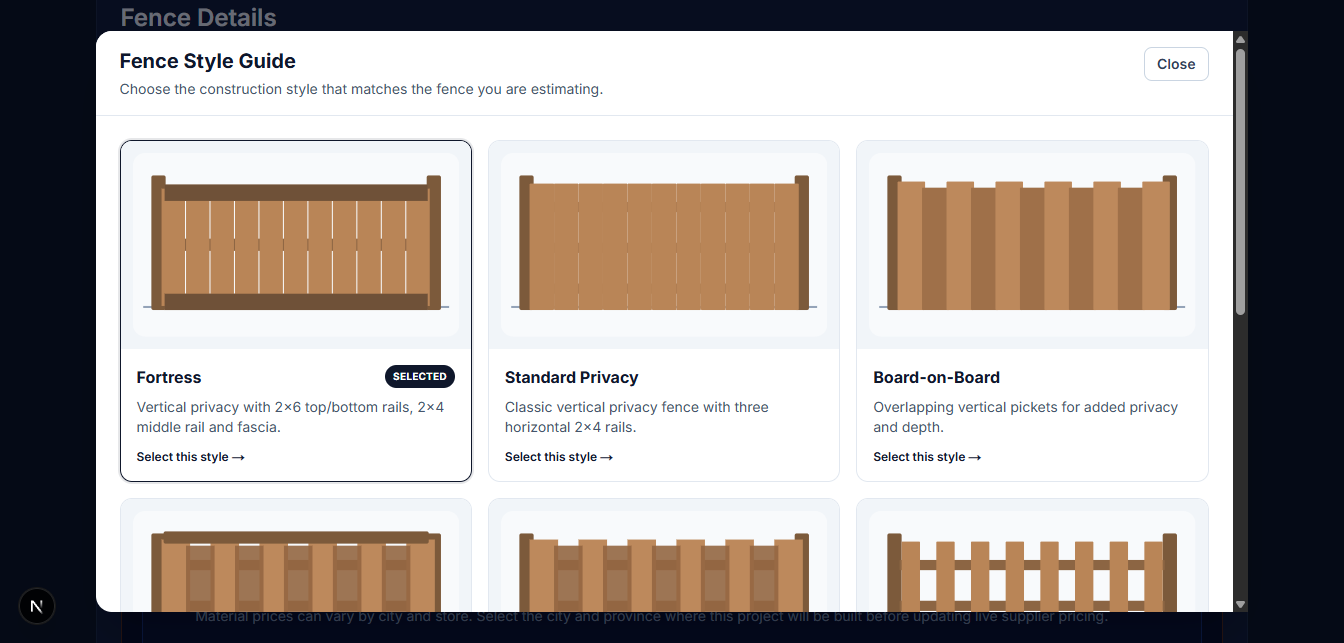
Choose the Right Build
Visual fence style guides help contractors configure the project correctly before pricing begins.

Q².iT instantly turns the details of the job into materials, labour, pricing and a customer-ready quote, while still onsite — all in one workflow.
ESTIMATE. QUOTE. BUILD.
Step 1
Build the project
Step 2
Calculate materials
Step 3
Estimate labour
Step 4
Review costs
Step 5
Set your price
Step 6
Send the quote
One connected workflow
Q².iT carries your project details through materials, labour, costs, pricing and your customer-ready quote.
Build the estimate
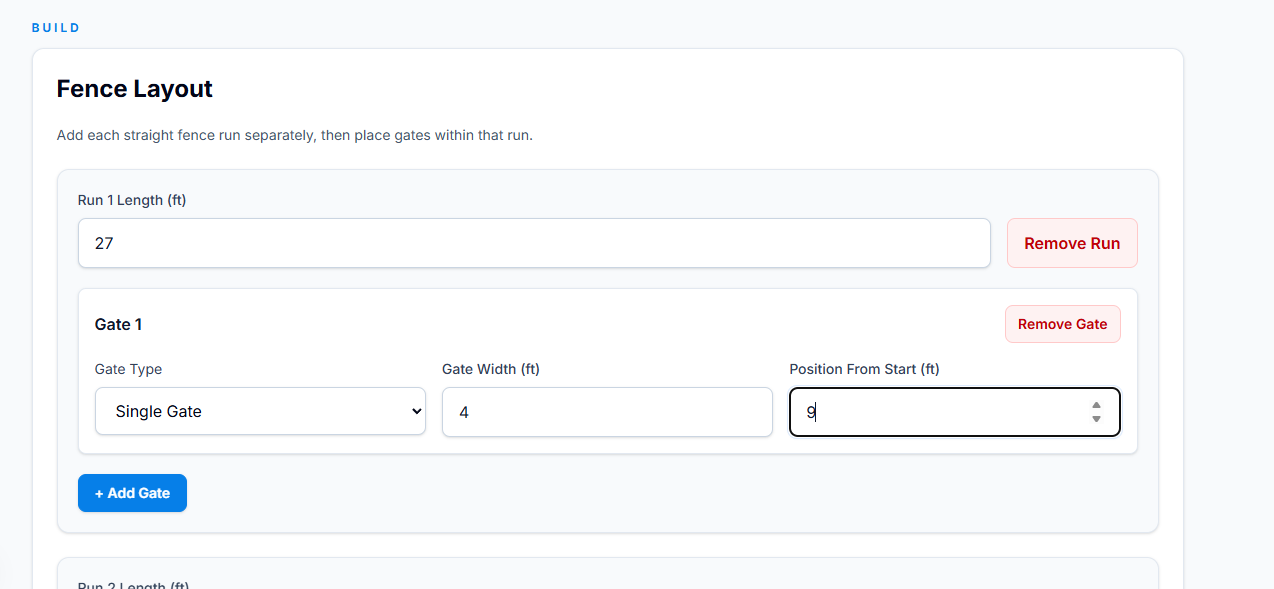
Add each fence run, place gates where they belong and enter the job details. Q².iT uses the layout to build the quantities and calculations needed for the estimate.
Visual fence style guides help contractors configure the project correctly before pricing begins.
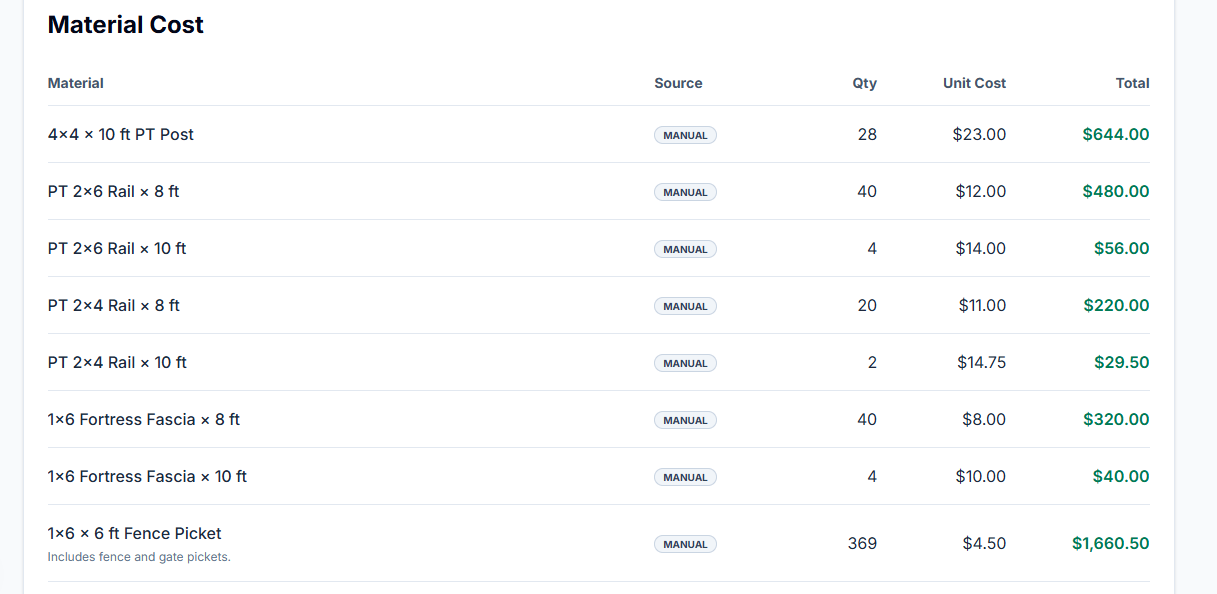
Turn the project layout and build details into the material quantities needed for the job.
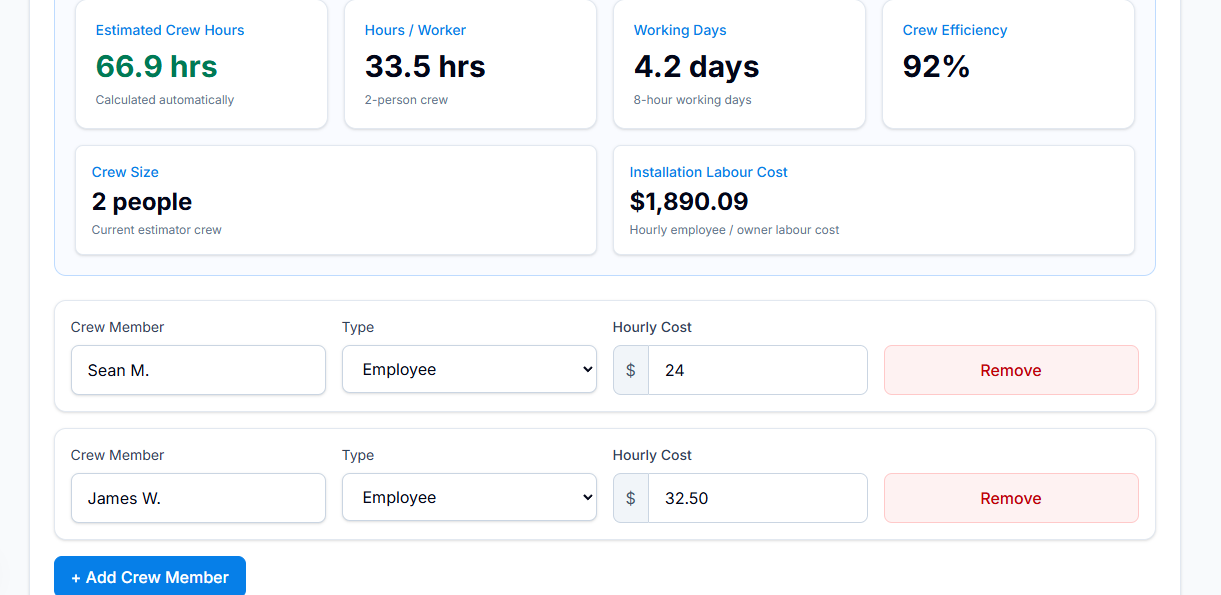
Turn the build into estimated crew hours, working days and labour cost automatically.
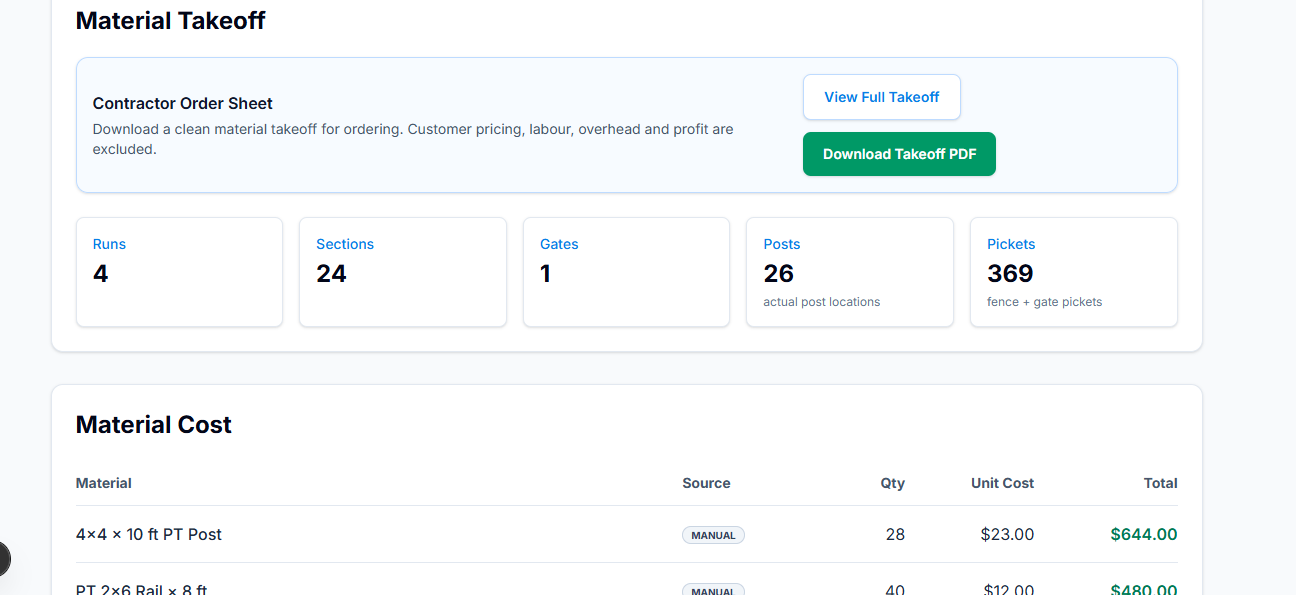
Material Takeoff
Turn your estimate into a contractor material takeoff with quantities and costs that's ready to order — all without exposing your labour, overhead or profit to the customer.
Customer Ready
Turn the completed estimate into a professional branded quote with project scope, pricing, payment terms and warranty information.
Your customer sees the quote. You keep the estimating, costing and profit details behind the scenes.
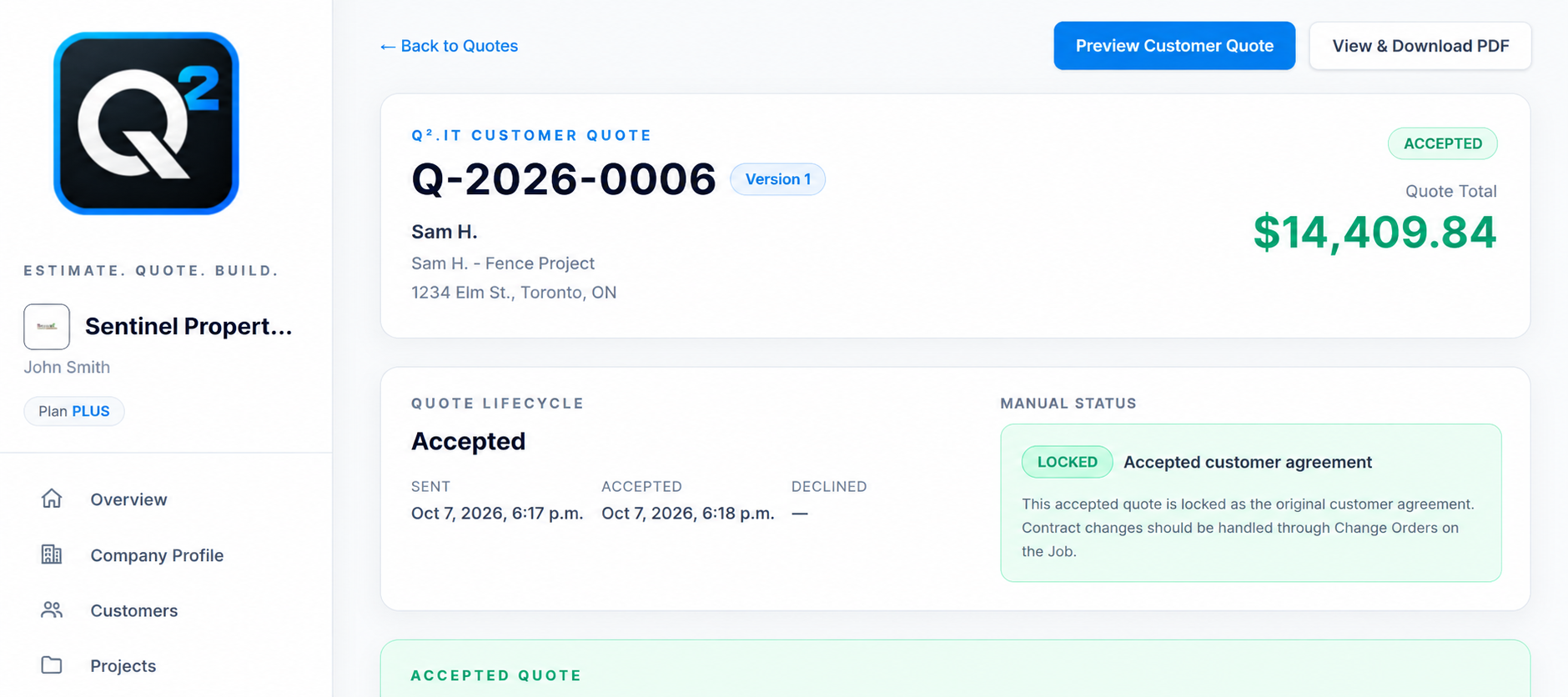

Beyond the Estimate
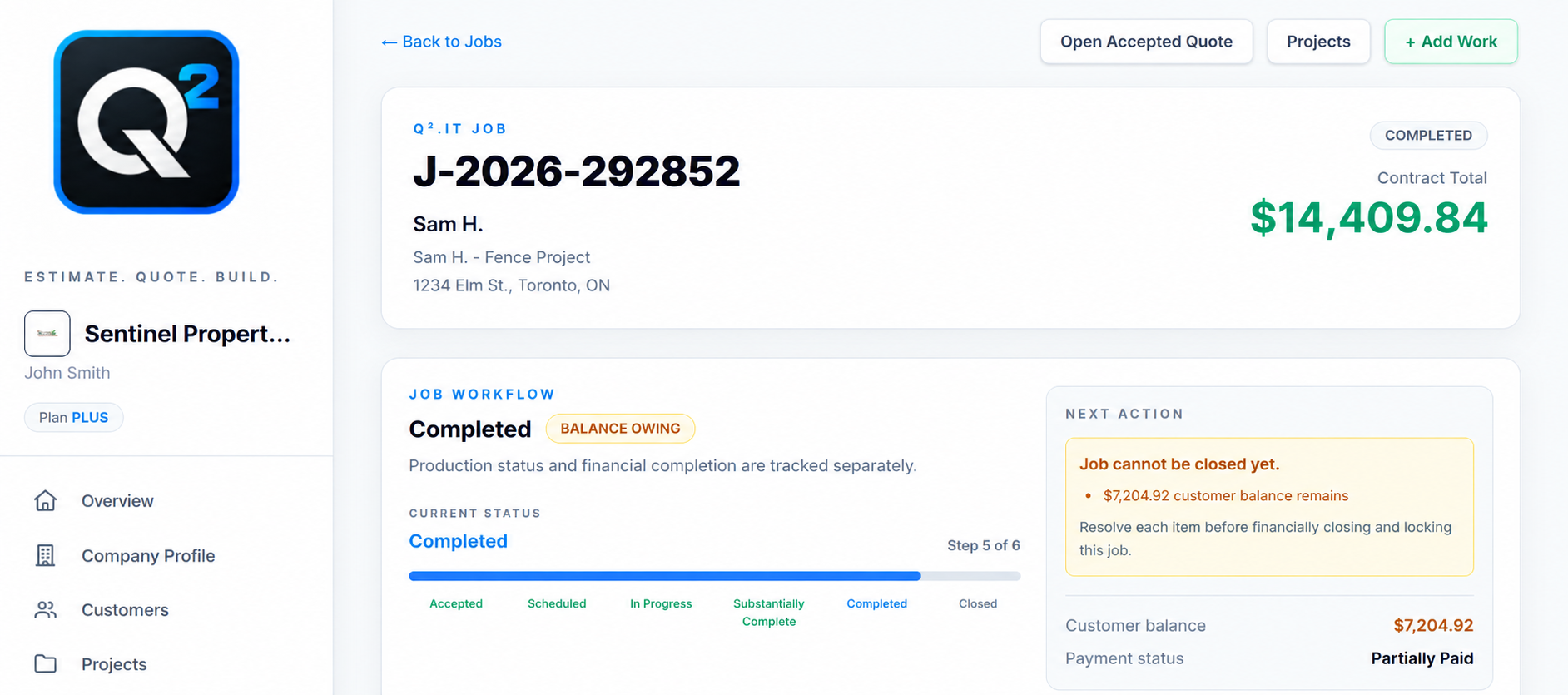
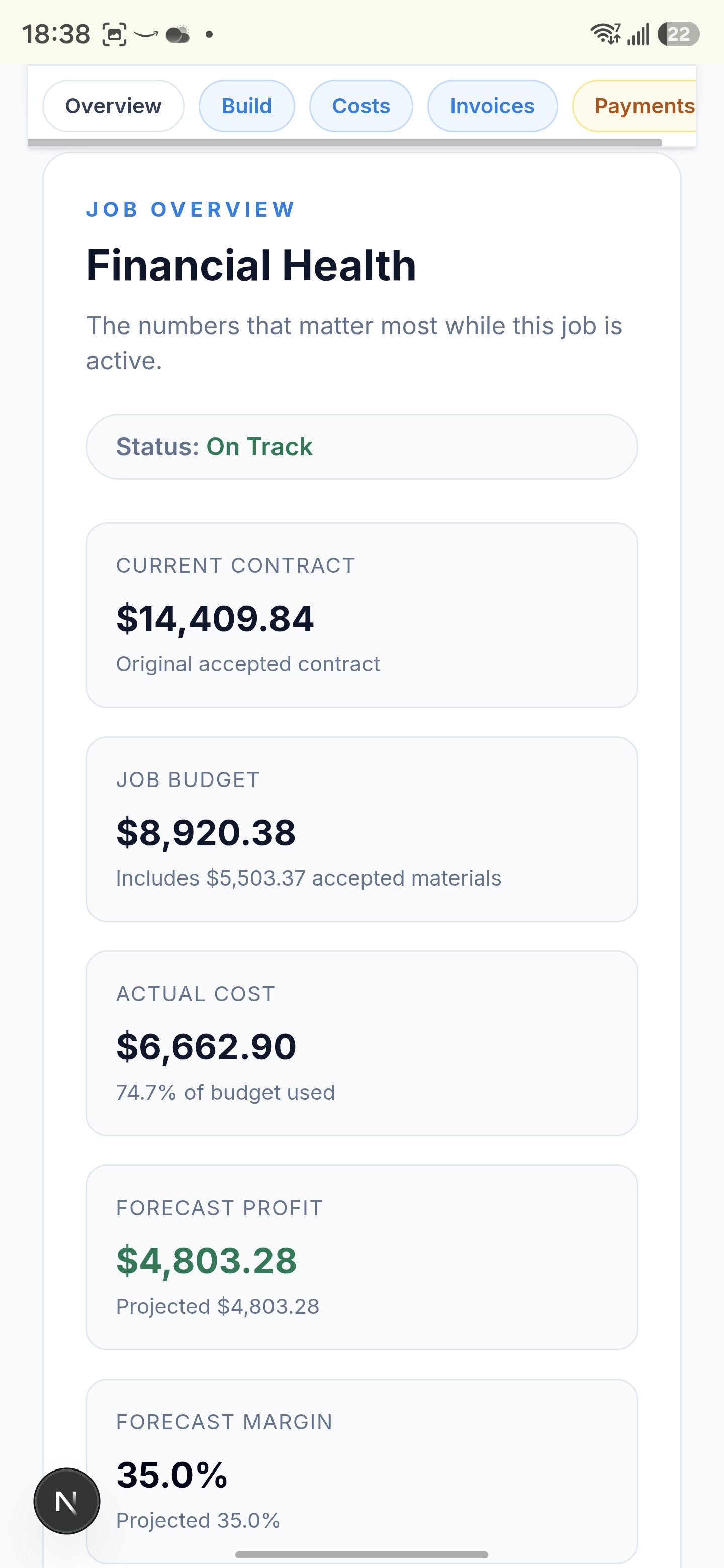
Once the quote is accepted, Q².iT carries the project into your back office. Track active jobs, contract value, receivables, costs and profit without rebuilding the job in another system.

Get full access to Q².iT Plus for 14 days. No credit card required.
Try Plus Free for 14 Days